
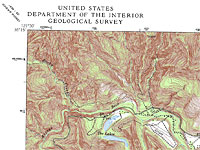
Maps are a great backcountry tool
If you like to venture out from your campsite and explore the surrounding area, a topo map is an indispensible tool for finding interesting things like waterfalls and mountain ponds. Best of all, topo maps are inexpensive or even free, if you are satisfied printing small sections on your home printer.
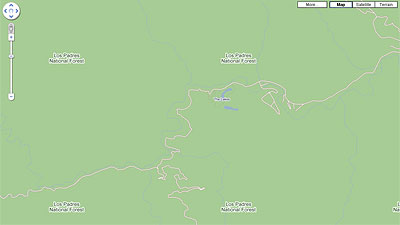
The first step in finding a topo map is to locate the area in Googleâ„¢ Maps. This will help you when you go to the USGS site, because their version of Google Maps is rather small.
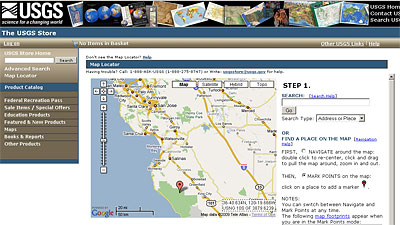
Without closing Google Maps, open a new tab in your browser, navigate to store.usgs.gov, and select the Map Locator link. Provided you have Google Maps open in the same browser (on the original tab) and centered on your area of interest, the USGS Map Locator tool should display a map marker that is close to the same area.
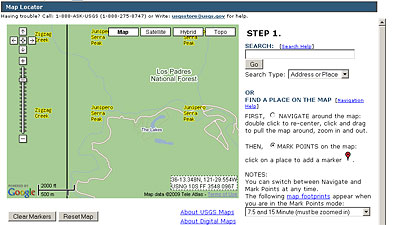
Navigate around the small map until you have it centered on your area of interest. I keyed-on these two small lakes that border a nearby campground.
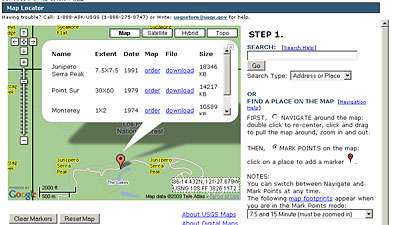
Check the radio button on the right for MARK POINTS, and then click your area of interest on the map. Click on the resulting marker to get a menu of map choices available for purchase or download. Did I say download? That’s right, all of these maps can be downloaded for free! They are in a proprietary GeoPDF format, but a free plugin is available on this same web page.
Nice tip! I didn’t even know that.
VE’s last blog post..VE of the Caribbean – Cruise Life
my gosh… you have just opened the world to me…
I’m finding caves I’ve been to and knew existed and had never been able to exactly pinpoint before. Things marked as 4wd and Jeep trails that I never knew were there. The answer where roads end up that I’d never left enough time to get to…
It still doesn’t have the detail of a mapping software I bought back in 93 (Precision Mappying) that listed USGS survey results in a searchable fasion but that windows 3.1 software is pretty hard to run now a days.
I’d really love to be able to buy the survey results and search for the word Cave. Eventually I’ll load that disc in a convert the database but.. If I could just buy the data from the usgs that would be sooooo much better…
Brian Layman’s last blog post..Brian Layman’s Weekly Twitter Update for 2009-04-26
Pingback: Daily News About Map : A few links about Map - Thursday, 30 April 2009 07:54
Very useful post Roy.
I’ve had Topozone software for the last couple of years. It contains all the 7.5′ maps for Northern California and has a lot of cool features. But it’s not free like this is.
John Soares’s last blog post..Be Decisive: Subscribe to the Writing College Textbook Supplements Blog!